

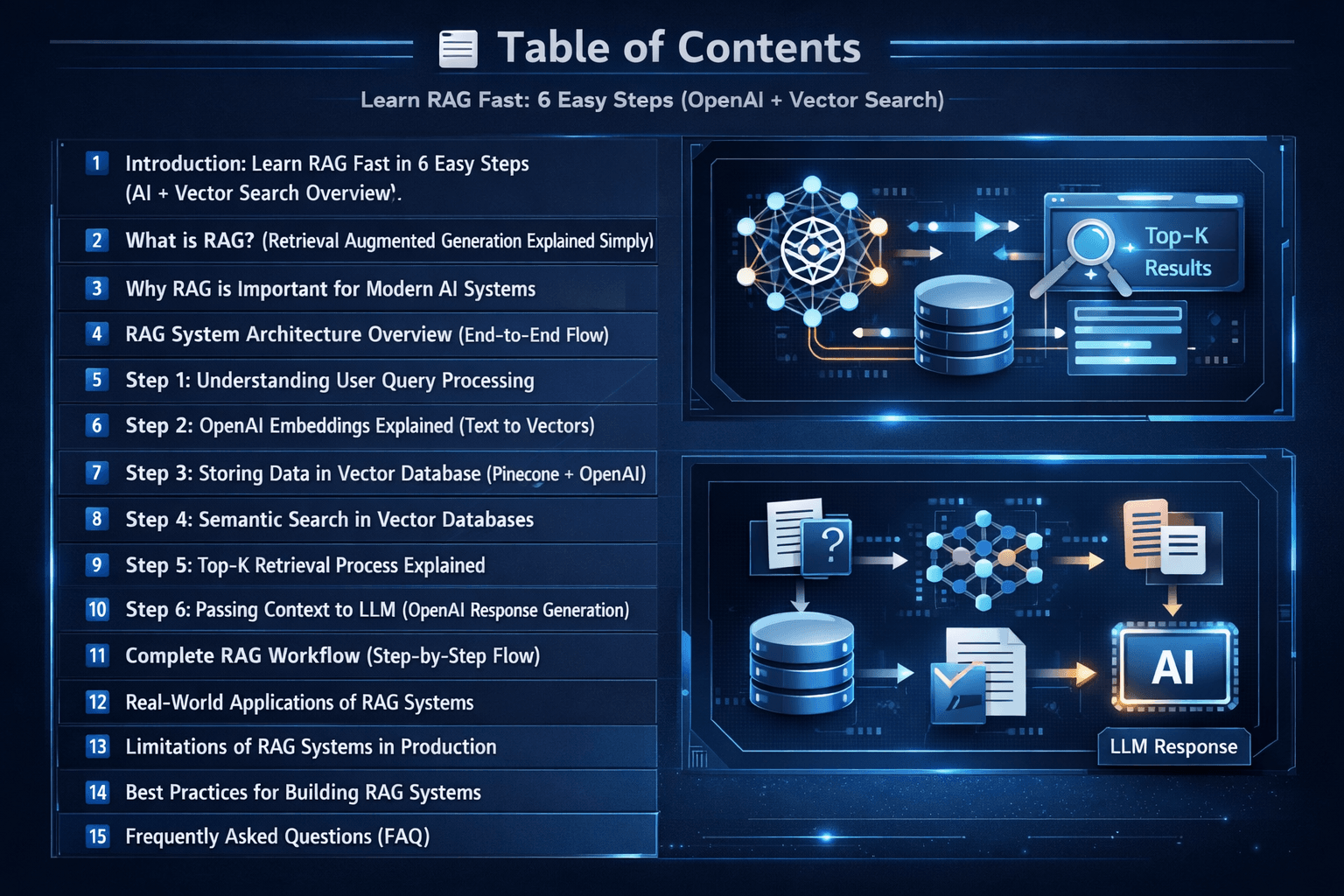
Introduction: Learn RAG Fast in 6 Easy Steps (AI + Vector Search Overview)
When I first started working with AI systems, I quickly realized something important — large language models are powerful, but they still have a limitation: they don’t always provide the most accurate or up-to-date answers and can sometimes hallucinate.
That’s where my journey with RAG (Retrieval-Augmented Generation) began.
From my experience building AI applications, I learned that combining retrieval systems with language models completely changes how intelligent an AI system becomes. Instead of relying only on pre-trained knowledge, RAG first retrieves relevant information and then generates a response based on real context.
In this guide, I will share my knowledge in a simple and practical way so you can clearly understand how RAG works. We will break it down into 6 easy steps, following a clear roadmap of how a real RAG system is built using OpenAI embeddings and vector search systems like Pinecone.
If you want to explore more hands-on AI builds and real-world implementations, you can also check my Vector Database & AI Projects category
RAG System Roadmap (6 Easy Steps)
What is RAG? (Retrieval Augmented Generation Explained Simply)
When I began exploring AI systems in depth, I used to think that large language models could answer everything directly. But in my experience building real projects, I quickly understood that this is not always true. Models like those from OpenAI are powerful, but they don’t always have access to real-time or domain-specific information. This is where RAG becomes very important.
RAG (Retrieval-Augmented Generation) is a simple but powerful approach where the system first retrieves relevant information from external sources and then uses that context to generate a final answer. Instead of relying only on training data, the model “looks up” information before responding.
In simple terms, a RAG system combines search + AI generation.
How I understand RAG from my experience
From my own experience building AI applications, I can say that RAG completely changes how AI behaves. Instead of guessing answers, the system first finds the most relevant data using semantic search and vector similarity matching, then uses that data to respond more accurately.
This is why modern AI applications rely heavily on Storing Data in Vector Databases like Pinecone to store embeddings and retrieve meaningful context.
Simple RAG Workflow (in my own words)
- User asks a question
- The query is converted into OpenAI embeddings
- The system searches similar data in a vector database
- Relevant chunks are retrieved using top-k similarity search
- The context is sent to the language model
- The model generates a final, accurate response
Why RAG is important in real AI systems
In my experience, RAG solves one of the biggest problems in AI — hallucination. Instead of the model making up answers, it uses real stored data to respond.
This makes it extremely useful for:
- AI chatbots
- Knowledge-based search systems
- Enterprise document search
- AI-powered assistants
Long-tail insight (important concept)
If I explain it simply using a long-tail understanding, RAG is basically a ‘build your own AI search engine using OpenAI embeddings and vector databases’ approach. This is exactly how modern systems move from keyword search to semantic search-based AI systems.
Key takeaway
RAG is not just a concept — it is a real production architecture where:
search + embeddings + vector database + LLM = intelligent AI system
Once I understood this, building AI search systems became much clearer and more practical for me.
Why RAG is Important for Modern AI Systems
When I started building more advanced AI applications, I began to notice a clear shift in how modern systems are designed. It’s no longer enough to rely only on a large language model’s internal knowledge. Real-world applications demand accuracy, freshness, and domain-specific understanding — and this is exactly where a RAG system (Retrieval-Augmented Generation) becomes essential.
From my experience, RAG is not just an improvement — it’s a necessity for building production-grade AI systems using vector databases and semantic search.
Let me break down why this matters in a practical way.
1. Reduces Hallucination (The Biggest Problem in AI)
One of the first challenges I faced while working with language models was hallucination — when the model generates confident but incorrect answers.
RAG changes this completely by grounding responses using retrieval-based AI architecture.
Instead of guessing, the system:
- Retrieves real data using semantic search and vector similarity
- Uses verified context from a vector database
- Generates answers grounded in that information
In my projects, this alone made a massive difference in reliability and helped reduce hallucination in LLM systems.
2. Enables Real-Time & Up-to-Date Knowledge
LLMs are trained on static datasets. That means they don’t “know” anything beyond their training cutoff.
But with RAG, I can connect:
- Live databases
- Updated documents
- APIs or external knowledge bases
This allows the system to act like a real-time AI search engine using embeddings, always responding with the latest information.
This is especially useful for:
- News systems
- Financial tools
- Internal company dashboards
3. Makes AI Domain-Specific
Out of the box, LLMs are general-purpose. But most real applications need deep expertise in a specific domain.
With RAG, I can:
- Feed company documents into a vector database like Pinecone
- Use internal knowledge bases
- Add industry-specific datasets
This transforms a general model into a domain-specific AI assistant powered by retrieval.
For example:
- Legal AI assistant
- Medical document search
- Technical support chatbot
4. Improves Answer Accuracy & Trust
One thing I realized while deploying AI systems is that users care about trust more than anything.
RAG improves trust because:
- Answers are based on retrieved knowledge, not assumptions
- Context is traceable through document retrieval pipelines
- Responses are more consistent due to context injection into LLMs
In many systems I built, adding RAG significantly improved AI answer accuracy and reduced user confusion.
5. Scales Better for Large Knowledge Systems
If you try to put all knowledge directly into a model, it quickly becomes inefficient and expensive.
RAG solves this by using a vector database architecture for scalable knowledge retrieval:
- Storing embeddings (dense vectors) externally
- Performing similarity search (cosine similarity / ANN search)
- Retrieving only the most relevant chunks
This is what makes modern AI search systems scalable and efficient, even with millions of documents.
6. Cost Optimization in Production
This was something I didn’t expect at first, but learned while building real applications.
Instead of:
- Sending huge prompts
- Or fine-tuning large models constantly
RAG allows:
- Efficient top-k retrieval
- Smaller, focused prompts
- Reduced token usage through context-aware generation
This leads to significant cost savings when building AI applications with OpenAI embeddings and vector search.
7. Foundation for Modern AI Applications
Today, most advanced AI products are built on top of RAG architecture and semantic retrieval systems.
From my observation, RAG is used in:
- AI copilots
- ChatGPT-style assistants
- Enterprise search tools
- Document Q&A systems
If you understand how RAG works with embeddings and vector databases, you understand how modern AI systems actually work behind the scenes.
Simple Insight (From My Experience)
If I explain it in the simplest way:
Without RAG:
AI tries to answer from memory
With RAG:
AI performs semantic search → retrieves context → generates answer
That small shift is what makes systems intelligent, reliable, and production-ready.
Key Takeaway
RAG is important because it transforms AI from:
- A “guessing machine” into A knowledge-driven AI system powered by retrieval and embeddings
And in my experience, this is the difference between a demo project and a real-world AI search application built with vector databases with pinecone
RAG System Architecture Overview (End-to-End Flow)
Before diving into individual steps, it’s important to understand the complete RAG architecture at a high level. This section gives a quick end-to-end flow of how a RAG system works in real applications — from user query input to final AI-generated response using OpenAI embeddings and vector databases.
Step 1: Understanding User Query Processing
Everything in a RAG system starts with the user query — but it’s not just about taking input and sending it forward.
From my experience, how you handle the query at this stage directly impacts the quality of your entire retrieval pipeline.
At a basic level, the system receives a question. But in a well-designed setup, this step involves preparing the query so it works effectively with semantic search and embeddings.
In practice, this can include:
- Cleaning the input (removing noise or unnecessary text)
- Rewriting or expanding the query for better context
- Identifying intent instead of just keywords
This step is important because embeddings work on meaning, not exact words. A poorly structured query can lead to weak retrieval, even if your database is good.
Simple insight: Better query → Better embeddings → Better results
Step 2: OpenAI Embeddings Explained (Text to Vectors)
Once the query is ready, the next step is converting it into vector embeddings.
This is where things shift from human language to machine understanding. Using OpenAI embeddings, the system transforms text into a dense vector representation, where:
- Similar meanings are placed closer together
- Different meanings are placed farther apart
From what I’ve seen, this is the foundation of semantic search systems.
Instead of matching words, the system now matches intent and meaning.
For example:
- “What is RAG?”
- “Explain retrieval augmented generation”
Both queries may look different, but embeddings make them semantically similar. For more understanding Semantic vs Keyword Search: Powerful AI Vector Guide 2026
Step 3: Storing Data in Vector Database (Pinecone + OpenAI)
Before retrieval can happen, your data needs to be prepared and stored properly.
In my projects, this step involves three key parts:
- Splitting documents into smaller chunks (document chunking)
- Converting each chunk into embeddings
- Storing them in a vector database like Pinecone
This creates a searchable knowledge base using vector representations.
One thing I learned here — chunking matters more than most people expect. If your chunks are too large or too small, retrieval quality drops.
Step 4: Semantic Search in Vector Databases
Once everything is stored, the system performs semantic search.
Instead of keyword matching, it compares the query embedding with stored embeddings using:
- Cosine similarity
- Or Approximate Nearest Neighbor (ANN) search
This allows the system to find the most relevant content based on meaning. In real-world applications, this is what makes the AI feel “smart” — it understands context, not just text.
Step 5: Top-K Retrieval Process Explained
After similarity matching, the system doesn’t retrieve everything — only the most relevant results.
This is called Top-K retrieval.
For example:
- Top 3 results
- Top 5 chunks
From my experience, choosing the right K value is important:
- Too low → you miss useful context
- Too high → you add noise
This step ensures the system stays both accurate and efficient.
Step 6: Passing Context to LLM (OpenAI Response Generation)
Now comes the final and most important step. The retrieved data is passed into the language model as context.
This process is often called:
- Context injection
- Prompt augmentation
- Retrieval grounding
Instead of answering from memory, the LLM now uses retrieved knowledge to generate a response.
This leads to:
- Better accuracy
- Reduced hallucination
- More reliable answers
In simple terms:
The model doesn’t just “think” — it answers based on real retrieved information.
Final Insight
From my experience, a RAG system performs well when:
- Query processing is clear
- Embeddings capture meaning correctly
- Retrieval brings the right context
Because at the end of the day:
Good retrieval = Good AI answers
Complete RAG Workflow (Step-by-Step Flow)
The complete RAG workflow brings together all the core components of a retrieval-augmented system into a single, connected pipeline. I already mentioned in the above of the post. Lets make it short and sharp
From the moment a user submits a query, the system converts it into embeddings, searches relevant information from a vector database, retrieves the most meaningful chunks using top-k similarity matching, and finally passes the context to an LLM to generate an accurate response.
This end-to-end flow is what makes modern AI applications more reliable, context-aware, and production-ready.
If you want to go deeper into a practical implementation of this pipeline Build RAG System with Python, OpenAI & Vector Database
Real-World Applications of RAG Systems
Once I started building RAG systems in real projects, I realized they are not just theoretical concepts — they are actually the backbone of many modern AI applications. The combination of retrieval + generation makes them extremely powerful for handling real-world data and user queries.
Today, RAG is widely used in systems where accuracy, context, and up-to-date information are more important than just general knowledge. From my experience, these are the most common and practical use cases:
- AI Chatbots: Building intelligent assistants that answer questions using internal company documents or knowledge bases. Here you can check
5 Easy Steps to Build a ChatGPT-like Voice Assistant in Python - Enterprise Search Systems: Replacing traditional keyword search with semantic search over large document collections.
- Document Q&A Systems: Allowing users to upload PDFs, policies, or reports and ask natural language questions.
- Customer Support Automation: Powering support bots that retrieve accurate answers from FAQs, manuals, and ticket history.
- AI Copilots: Assisting developers, writers, or analysts by retrieving relevant context before generating responses.
- Knowledge Base Systems: Centralizing organizational knowledge and making it searchable using embeddings and vector databases.
In practice, RAG systems are becoming the foundation for most modern AI products because they combine the strengths of large language models with real-time information retrieval. This makes them far more reliable than standalone LLMs.
Limitations of RAG Systems in Production
While RAG systems are powerful for building modern AI search applications, they are not perfect. From my experience working with retrieval-based AI systems, there are a few practical limitations that you will always face when moving from a demo to a production environment.
Understanding these challenges is important because it helps you design better architectures using OpenAI embeddings and vector databases like Pinecone.
1. Dependency on Data Quality
RAG systems are only as good as the data they retrieve. If the documents are poorly structured, outdated, or irrelevant, the final AI response will also be weak. In most real-world cases, I’ve seen that data cleaning and proper document chunking have a huge impact on performance.
2. Embedding and Retrieval Limitations
Even with powerful OpenAI embeddings, semantic search is not always perfect. Sometimes the system retrieves context that is partially relevant or misses important information, especially in complex or ambiguous queries.
3. Context Window Constraints
LLMs have a limited context window, which means only a small portion of retrieved data can be passed to the model. This makes context selection and top-k retrieval tuning very important in production RAG systems.
4. Latency and Performance Issues
A full RAG pipeline involves multiple steps like embedding generation, vector search, and LLM inference. In real applications, this can increase response time compared to a standard chatbot.
5. Cost at Scale
Although RAG reduces the need for fine-tuning, it still incurs costs from embedding generation, vector database queries, and LLM usage. At scale, these operational costs can become significant.
6. No True Understanding
RAG improves accuracy by adding context, but the system still does not “understand” information like a human. It relies entirely on retrieved data and patterns learned by the model.
Key Insight
From my experience, RAG works best when you treat it as a retrieval-augmented decision support system, not a fully intelligent reasoning engine. Its performance depends heavily on data quality, retrieval tuning, and system design.
Best Practices for Building RAG Systems
From my experience building RAG systems with OpenAI embeddings and vector databases, I’ve noticed that performance doesn’t depend only on the model — it depends heavily on how you design the pipeline. Small design decisions can make a big difference in retrieval quality and final AI responses.
Here are some practical best practices I always follow when building production-ready RAG systems.
1. Use Proper Document Chunking
One of the most important steps is how you split your documents. Instead of large blocks of text, use meaningful chunks that preserve context. Poor chunking often leads to weak or irrelevant retrieval results.
2. Optimize Embeddings Quality
Use high-quality embedding models and ensure consistency across your dataset. Inconsistent embeddings can reduce the accuracy of semantic search and vector similarity matching. For example, models like OpenAI text-embedding-3-small and OpenAI text-embedding-3-large, or open-source models like all-MiniLM-L6-v2 (SentenceTransformers), are commonly used in production RAG systems.
3. Tune Top-K Retrieval Carefully
Selecting the right number of retrieved results is critical. Too few results may miss important context, while too many can introduce noise and reduce LLM accuracy.
4. Improve Query Understanding
Before generating embeddings, try to clean or rewrite user queries when needed. Better query representation directly improves retrieval performance in vector databases.
5. Use Hybrid Search When Needed
In some cases, combining keyword search with semantic search improves results. This hybrid approach helps handle both exact matches and meaning-based queries effectively.
6. Keep Context Injection Focused
Only pass the most relevant retrieved chunks to the LLM. Overloading the context window can reduce response quality and increase token cost.
7. Monitor and Evaluate Outputs
Always evaluate system responses in real scenarios. Tracking retrieval accuracy and user feedback helps continuously improve your RAG pipeline.
RAG vs Fine-Tuning (When to Use What)
One of the most common questions I come across while building AI systems is whether to use RAG or fine-tuning. From my experience, both approaches solve different problems, and choosing the right one depends on your use case, data freshness needs, and system complexity.
| Factor | RAG (Retrieval-Augmented Generation) | Fine-Tuning |
|---|---|---|
| Data Source | External data (vector database, documents) | Training dataset |
| Updates | Easy (update documents anytime) | Requires retraining |
| Best Use Case | AI search, chatbots, document Q&A | Style learning, behavior tuning |
| Cost | Lower operational cost | High training cost |
| Flexibility | Highly flexible (dynamic knowledge) | Less flexible after training |
| When to Use | Real-time knowledge systems | Fixed behavior / style models |
In simple terms, I usually prefer RAG for systems that need up-to-date and dynamic knowledge, while fine-tuning is better when you want the model to learn a specific behavior or writing style.
In most real-world AI applications today, RAG is used more because it is easier to maintain, scalable, and works well with vector databases and semantic search systems.
Key Insight
A well-designed RAG system is not just about embeddings or vector databases — it’s about balancing retrieval quality, context management, and LLM generation. In production, small optimizations in retrieval often lead to the biggest improvements in AI response quality.
Frequently Asked Questions (FAQ)
Here are some of the most commonly searched questions about RAG (Retrieval-Augmented Generation) systems, OpenAI embeddings, and vector databases. These answers are based on practical experience building real-world AI search applications.
1. What is a RAG system in AI?
A RAG (Retrieval-Augmented Generation) system is an AI architecture that combines information retrieval with large language models. It first fetches relevant data from a vector database and then uses that context to generate accurate responses.
2. How does RAG improve AI responses?
RAG improves AI accuracy by grounding responses in real data instead of relying only on model training. It reduces hallucinations by retrieving relevant context before generating an answer.
3. What is a vector database in RAG?
A vector database stores embeddings (numerical representations of text) and enables fast semantic search. It helps retrieve the most relevant information based on meaning rather than keywords.
4. What are embeddings in OpenAI?
Embeddings are numerical representations of text created by models like OpenAI. They capture semantic meaning so similar texts have similar vector representations.
5. Why is chunking important in RAG systems?
Chunking breaks large documents into smaller pieces so that only relevant sections are retrieved. Proper chunking improves retrieval accuracy and context quality.
6. What is Top-K retrieval?
Top-K retrieval means selecting the top relevant results from a vector database based on similarity scores. It ensures only the most useful context is passed to the LLM.
7. What is semantic search in RAG?
Semantic search finds results based on meaning instead of exact keyword matching. It uses embeddings and similarity calculations like cosine similarity.
8. What is the difference between RAG and fine-tuning?
RAG uses external data retrieval at runtime, while fine-tuning retrains the model on specific data. RAG is more flexible and easier to update with new information.
9. What are the limitations of RAG systems?
RAG systems depend heavily on data quality, embedding accuracy, and retrieval quality. They can also face latency and cost issues in large-scale production systems.
10. Is RAG used in real-world applications?
Yes, RAG is widely used in AI chatbots, enterprise search systems, document Q&A tools, and AI copilots where accurate and up-to-date information is required.