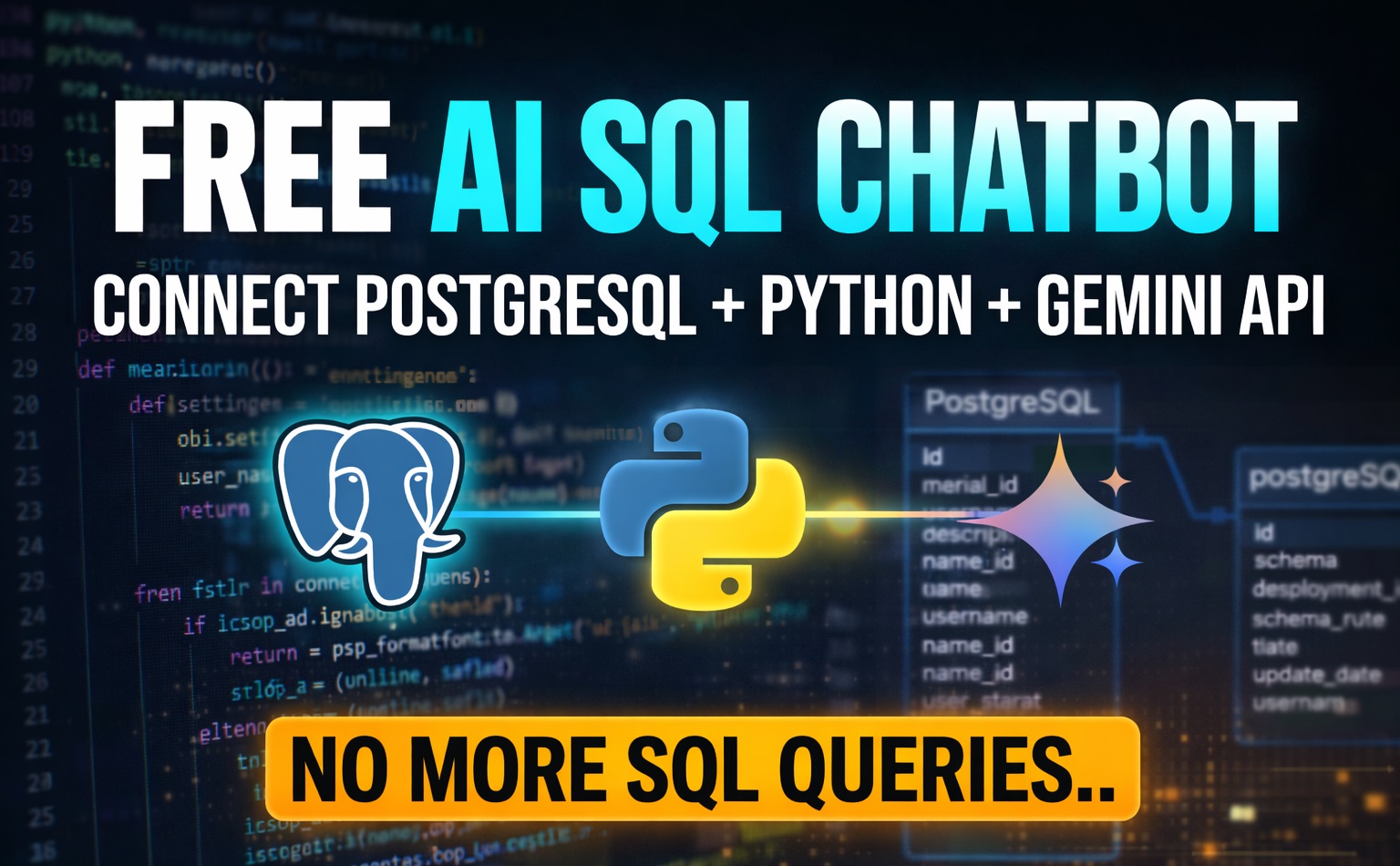
Build AI That Converts English To PostGREsql sql using python
How to Build AI That Converts python, natural language to sql PostgreSQL project
To build this AI, you’ll use Python as the framework to bridge natural language and connect PostgreSQL to fetch data without writing any SQL syntax. The core logic involves three main steps:
- Context Loading: Extract your database schema (table names, columns, and types) and pass it as a prompt to the Gemini API.
- Text-to-SQL Conversion: Use Gemini ai or OpenAI key to translate the user’s English question into a valid SQL string based on that schema.
- Execution & Return: Use a library like
psycopg2to execute the generated query on your PostgreSQL instance and return the results to the user.
Natural Language to SQL Postgres: How AI Converts Questions into Queries
In simple AI Uses LLM Translation: The AI receives a natural Human language question and, using the schema context, generates a syntactically correct SQL query. What is LLM Translation? Large Language Model (like Gemini) acts as a bridge between human language and machine code.
Lets under stand with an example in this context, when users ask any question in english, it doesn’t translate in other human-speaking languages it translates Natural language to PostgreSQL query generator
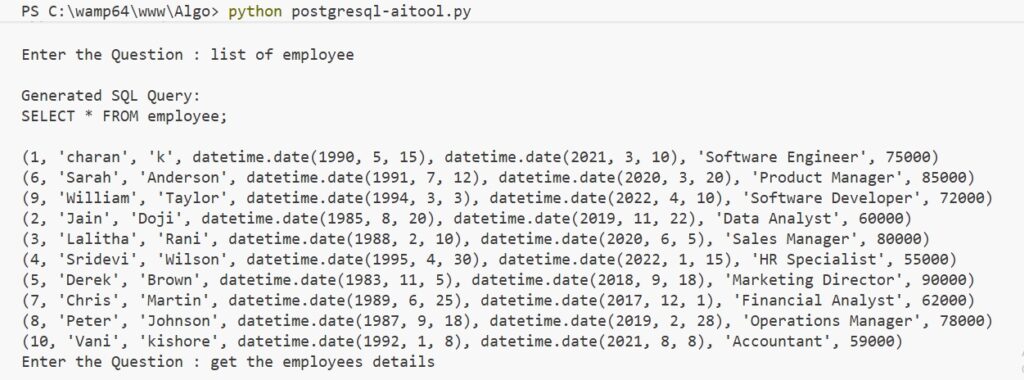
Suppose if a user wants a data table from a database instead of writing a sql query like select * from employee, he/she asks to get a list of employee.. will fetch all records from the table to a desired database. (No SQL Syntax) And also, please check if you are interested with sql server visit create ai chatbot for sql server without sql knowledge
No SQL Syntax, english to sql postgresql using gemini ai tutorial
Requirements to build this application
API KEY (I am using a free Gemini AI Studio API key): Login with your Gmail credentials to AI Studio. After you log in successfully, at the left side, there is a panel and at the bottom you can find “Get API key” with a key symbol. Click on it, and it redirects to an API Keys page where you can find a button, “Get API key.” Click on it, fill in the API key name “Gemini API Key,” and create the key. That’s it.
Open any IDE, In this tutorial, I am using Visual Studio Code. You can use (PyCharm)
Postgresql PGAdmin4 database
Free Gemini AI SQL Query Generator For Postgresql complete coding
in visual studio code, Install Required Python Packages Install Required Python Packages
Open your terminal / command prompt and run:
pip install psycopg2-binary
pip install python-dotenv
pip install google-genai
Open Visual Studio Code, i have created 2 files (.env and postgresql-aitool.py). In the .env file, add the below code
GEMINI_API_KEY="ADD YOUR APIKEY"
Now, python file in my case postgresql-aitool.py
import psycopg2
from google import genai
from dotenv import load_dotenv
import os

load_dotenv()
client = genai.Client(api_key=os.getenv("GEMINI_API_KEY"))

try:
    conn = psycopg2.connect(
        host="localhost",
        port="5432",
        database="sampledb",
        user="postgres",
        password="admin123",
    )
    cursor = conn.cursor()
    print("Connected Successfully To Postgresql database..")

except Exception as e:
    print(f"Error Connecting to Postgresql Database:{e}")
    exit()


def ask_ai_sql(question):
    """
    Generate SQL from english question using Gemini AI
    """
    cursor.execute(
        """
        select table_name from information_schema.tables
        where table_schema='public' and table_type='BASE TABLE';
        """
    )
    tables = [row[0] for row in cursor.fetchall()]
    table_details = ""
    for table in tables:
        cursor.execute(
            f"""
            select column_name from information_schema.columns where
            table_name='{table}';
            """
        )
        cols = [row[0] for row in cursor.fetchall()]
        table_details += f"{table}:{','.join(cols)}\n"

    prompt = f"""
      You are an expert postgresql developer.
      convert all the following english question into a valid postgresql sql query.

      Rules :
      - Return only the SQL Query
      - No explantion
      - No backticks
      - use postgresql syntax only
      - use the correct table and colums
      Tables and columns:
      {table_details}
      Question:{question}
    """
    try:
        chat = client.chats.create(model="gemini-2.5-flash")
        response = chat.send_message(prompt)
        sql_query = response.text.strip()
        sql_query = sql_query.replace("```sql", "").replace("```", "").strip()
        return sql_query
    except Exception as e:
        print(f"Error Generating SQL From Gemini AI:{e}")
        return None


print("Type 'exit' to quit.\n")

while True:
    q = input("Enter the Question : ")
    if q.lower() == "exit":
        break
    sql_query = ask_ai_sql(q)
    if not sql_query:
        print("SQL Generation Failed..")
        continue
    print(f"\nGenerated SQL Query:\n{sql_query}\n")

    try:
        cursor.execute(sql_query)
        rows = cursor.fetchall()
        if rows:
            for row in rows:
                print(row)
        else:
            print("No Records Found")
    except Exception as e:
        print(f"Error Executing the query : {e}")

cursor.close()
conn.close()
print("SQL Connection is Closed...")
Final Output, Of This Code
Explain The Code Step by Step Process..
load_dotenv()
This function looks for a file named .env in your project folder.
Why use it? It is a security best practice. You should never hard-code your API key directly in your script. By using .env, you can share your code on GitHub without accidentally leaking your private key.
Purpose: It loads variables (like your secret API Key) from that file into your system’s environment.
api_key=os.getenv("GEMINI_API_KEY")
os.getenv: It tells Python to “go look in the environment variables for a key named GEMINI_API_KEY and give me the value associated with it.”
psycopg2 package
psycopg2 is the most popular PostgreSQL database adapter for the Python programming language. In your project, it acts as the “driver” or the “bridge” that allows your Python code to talk to your PostgreSQL database.
Without psycopg2, Python wouldn’t know how to send a command to Postgres or how to handle the data coming back.
Core Functions
In your AI SQL Chatbot, you will use it for three main tasks:
- Connection: Establishing a secure link between your Python script and the Postgres server (using credentials like host, database name, user, and password).
- Execution: Sending the SQL query (the one generated by Gemini) to the database to be processed.
- Retrieval: Taking the raw rows of data from the database and bringing them back into Python variables (like lists or dictionaries) so you can show them to the user.
Practicle Real Time AI Prompt Engineering Questions & Answers
Why do we include strict rules in the Gemini AI prompt such as “Return only SQL query and no explanations”? Explain With An Example
What the interviewer is testing:
- Prompt engineering knowledge
- AI output control
Expected Answer:
AI models often return explanations or formatted text. By adding rules like:
- Return only SQL
- No explanations
- No backticks
we ensure the output is a clean SQL query that can be executed directly by the PostgreSQL cursor.
This prevents execution errors when running: cursor.execute(sql_query)