

Transitioning from free web interfaces or developer-friendly ecosystems (like Google Gemini AI Studio) to Anthropic’s API comes with a few hidden hurdles. Here is the breakdown of firsthand development realities:
1. The “Web vs. API” Misconception
- The Trap: Assuming free browser access equals free code access.
- The Reality: While you can prompt Claude all day on the website for free, Python scripts hit Anthropic’s production servers directly. Every automated request costs computational power, which is why a $0 balance instantly triggers a
BadRequestError: Error code: 400.
2. Maximizing the $5 Starter Budget
- Haiku is Your Best Friend: If you are a student or hobbyist, depositing just $5 goes incredibly far if you route your requests to
claude-3-haiku. - The Math: At roughly $0.80 per million input tokens, a $5 budget grants you over 6 million tokens—plenty of runway to build and test multiple prototype chatbots or data summarizers.
3. Subscription vs. API Pricing Anomalies
- The 36x Cost Difference: If you use Claude heavily for more than 3 hours a day, the $20/month Pro web subscription is vastly cheaper than the API. Heavy workflows translated directly to raw API usage can easily rack up billings between $200 and $400 a month.
- When to Use API: Restrict API keys to lightweight automation scripts, background cron jobs, or apps with low, intermittent usage (under 50 sessions/month).
4. Beware the 200K Token Trap
- Price Spikes: Anthropic penalizes massive individual context windows. If your input prompt stays under 200,000 tokens, you pay the standard base rate (e.g., $3/MTok for Sonnet). The moment you cross that 200k threshold, input and output token costs nearly double.
- Mitigation Strategy: Hardcode prompt caching into your Python script (which slashes read costs by up to 90%) or split extensive datasets into smaller, digestible chunks before shipping them to the model.
5. Proven Free Alternatives for Testing
If you have zero budget to fund an API but need to test Python AI scripts immediately, swap out the Anthropic library for these alternatives offering true free developer tiers:
- Google AI Studio (Gemini API): Has a highly generous free tier for developers.
- Groq API: Incredibly fast inference speed with free plans for LLaMA models.
- Hugging Face Inference API: Free access to thousands of open-source models.
Introduction: Why Claude AI Free API Key Fails in Python
Claude AI Free API Key Not Working in Python? I honestly thought I was doing everything right when I started. When I first began experimenting with Claude AI for my Python projects, I assumed — like many beginners — that signing up and getting a free API key would let me build programs just like I do with other tools like Google Gemini ai studio or Hugging Face.In fact, I had already used a free Gemini AI Studio API key in one of my Python projects, and it worked really well without any issues. I even created a full tutorial on it — “Free AI Chatbot Like ChatGPT with Python Gemini 2026”. So naturally, I expected Claude to behave the same way.
I mean, if I can chat with Claude in the browser for free, why shouldn’t my Python chatbot work the same way?Boy, was I wrong.
From my knowledge and experience, everything looked correct — my API key was valid, my Python code was clean — but I still kept running into errors like “low credit balance” and API failures.
It was frustrating because even though my code and API key were working, things just didn’t work with the free API key. That’s when I realized the problem wasn’t my code at all — it was how Claude’s free API access actually works. In this guide, I’ll break down the real reasons, limitations, and practical fixes so you don’t waste hours like I did. lets find out what offers Claude free vs paid API Python and Why Claude free API key fails in Python with my real time explanation.
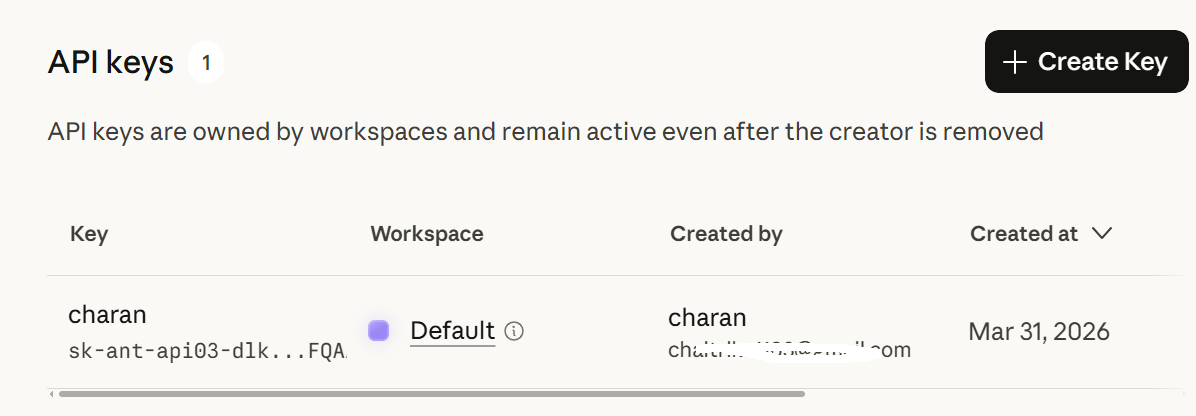
Just like I created free API keys with other offers, I signed up using my Gmail login details and successfully created an account. I have also generated an API key, which you can see in the image.
Later, in Visual Studio Code, I created a .env file and a Python .py file to build an AI chatbot like ChatGPT using Python Gemini with the free API key I had generated. However, I encountered error code 400. This means the code itself is working correctly, but the message “Your credit balance is too low to access the Anthropic API” appeared. I also explained why this happened and why we can’t use the free key in our Python code.
import anthropic
from dotenv import load_dotenv
import os

# Load API key
load_dotenv()
client = anthropic.Anthropic(api_key=os.getenv("CLAUDE_API_KEY"))
print("Claude Chatbot (type 'exit' to quit)\n")
while True:
    user_input = input("You: ")
    if user_input.lower() == "exit":
        print("Goodbye!")
        break
    response = client.messages.create(
        model="claude-3-haiku-20240307",
        max_tokens=200,
        messages=[{"role": "user", "content": user_input}],
    )
    print("Claude:", response.content[0].text.strip())
Code Working Perfectly, but credit balance is low.
Claude AI Free vs Paid: What’s the Difference?
Before continue the post. Check out Free AI Coding Tools for Developers 2026 – Top 10+ Must Try.
When I first started using Claude, I honestly didn’t understand the difference between the free and paid versions. From my point of view, if I could use Claude for free in the browser, I assumed I could use the same API key in my Python projects as well. But that’s not how it works.
The free version of Claude AI is mainly designed for users who want to interact with the model directly in the browser. You can ask questions, generate content, and explore ideas without paying anything. I personally used it for testing prompts and understanding how Claude responds, and it works really well for that purpose.
However, things change completely when you move to development.
The moment I tried to use Claude in my Python code, I realized that API access is treated differently from browser access. Even though I had a valid API key, my requests kept failing. That’s because the free plan does not include any usable API credits.
Here’s a simple breakdown based on my experience:
This was confusing at first because, in my experience with tools like Gemini, a free API tier was available and worked smoothly in Python projects. you can check in my python ai tools tutorials But with Claude, the API is strictly pay-as-you-go, meaning you need to add credits before your code can actually make successful requests.
So here’s the thing: the difference isn’t just “free vs paid.” It’s really about how and where you can actually use Claude. If you just want to chat or play around in the claude website, the free version works fine. But if you’re a developer trying to build something in Python code in visual studio code then you face an error called, using the paid API isn’t optional—it’s a must.

Why the Claude Free API Key Doesn’t Work (Error code: 400 Explained)
When I first tried to use Claude AI in my Python projects, I thought getting a free API key would let me build a chatbot just like I do in the browser. After all, I could talk to Claude for free online—how different could it be in code?
Well… it turns out it’s completely different.
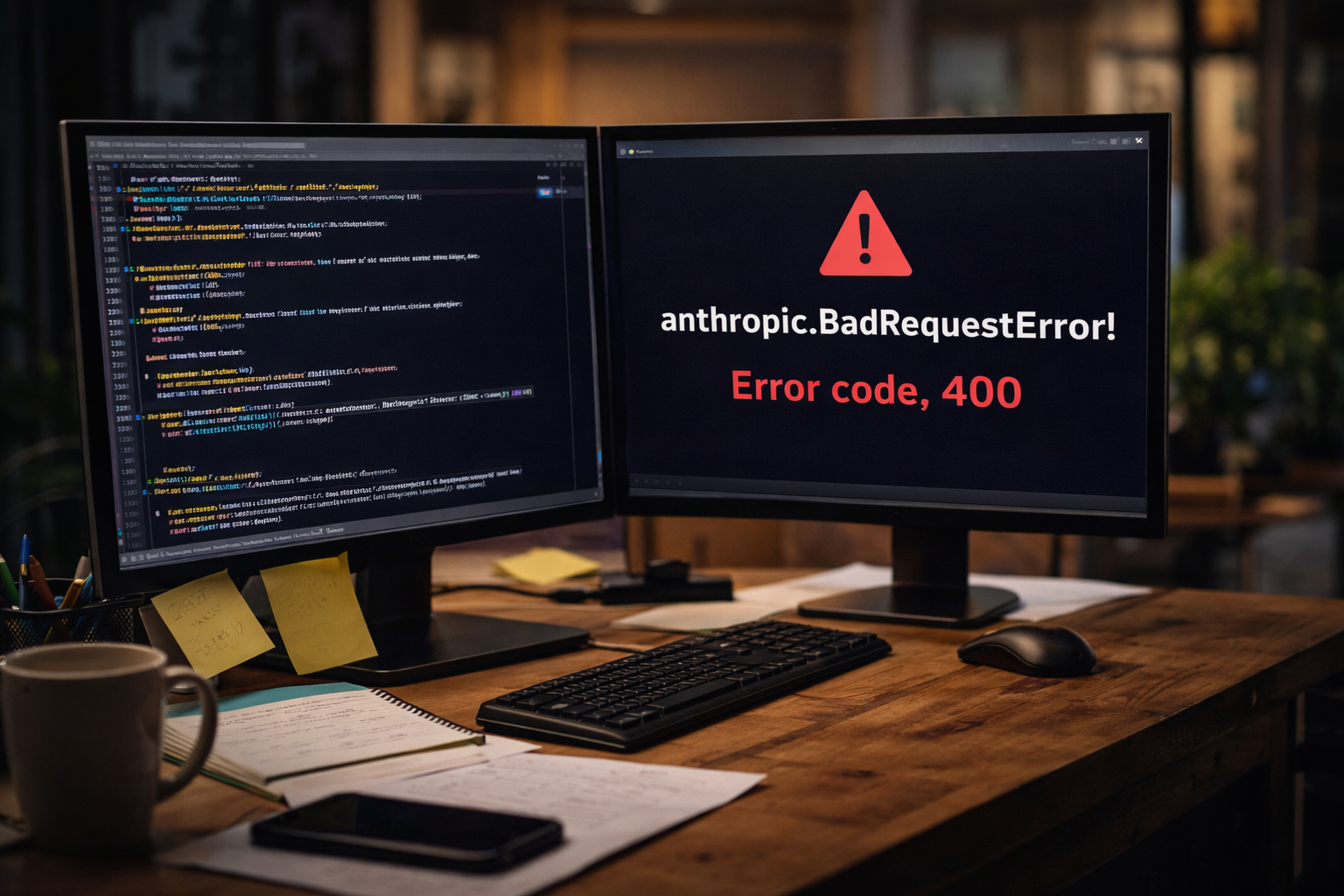
If you try using the free API key in Python, you’ll likely see this error and you can the check the image i've uploaded above
anthropic.BadRequestError: Error code: 400 – Your credit balance is too low to access the Anthropic API.
Here’s the simple truth: the free plan only works in the browser. That free web access lets you chat with Claude interactively, but it doesn’t include any credits for the API. Every time you send a request from Python, Claude needs to use server resources to process your input and generate output—and that costs money.
So when your Python code tries to call the API with a free key, there’s no credit to pay for the request, and the API refuses to run it. That’s why you get the dreaded “400 – low credit balance” error.
In short: it’s not your code that’s broken—it’s the plan. You can chat for free in the browser, but if you want to build anything programmatic with Python, you need to pay for API credits.
Claude AI Pricing Explained (Subscription vs API Costs)
If you’re looking at Claude AI and wondering about the costs, it can feel confusing at first. Here’s a straightforward explanation of their subscription plans — no jargon, no guesswork:
| Plan | Price | Best For |
|---|---|---|
| Free | $0 | Casual users, light usage, just chatting |
| Pro | $20/month (or $17/month billed annually) | Professionals, daily users, consistent usage |
| Max 5x | $100/month | Heavy users, developers, more usage than Pro |
| Max 20x | $200/month | Power users, intensive workflows |
| Team | $25/person/month (annual) or $30/month | Businesses, collaborative teams (min 5 members) |
| Enterprise | Custom pricing | Large organizations, SSO, compliance, business-grade controls |
💡 In short:
- Claude’s free API is perfect if you just want to explore Claude.
- Pro or Max is best for regular users or anyone who needs higher limits.
- Team or Enterprise works for businesses with multiple users or special requirements..
API Pricing (Pay-as-you-go)
The API is charged per million tokens (MTok) — think of tokens as chunks of text you send and receive. This is best for Python scripts, automation, or apps.
Here’s what it costs right now:
- Claude Opus 4.6 – $5 per million input tokens, $25 per million output tokens
- Claude Sonnet 4.6 – $3 per million input tokens, $15 per million output tokens
Pro tips for saving money on API:
- Cache reads – only cost 10% of input tokens. If you reuse responses, caching can save a lot.
- Batch API – 50% discount for large-scale tasks like summarization, tagging, or offline processing.
Subscription vs API — Which Is Cheaper?
This is the million-dollar question for developers.
From my experience:
- Subscriptions can be up to 36x cheaper than API for the same workload if you use Claude consistently.
- Professionals using Claude for 3+ hours daily found Pro ($20/month) far cheaper than paying for equivalent API usage, which can range $200–$400/month.
- API is worth it only if you’re doing very light usage — roughly under 50 sessions per month. Daily usage almost always makes a subscription the better value.
Watch Out: The 200K Token Trap
Here’s a tricky part:
- If your input message is under 200,000 tokens, you pay the normal rate (e.g., $3 per million for Sonnet input).
- If your input goes over 200,000 tokens, costs jump dramatically — $6 per million input tokens, $22.50 per million output tokens.
My tip: Use prompt caching or break large tasks into smaller chunks. This can save you a lot of money when working on long documents or datasets.
Bottom Line for Developers
- Use subscriptions if you’re a frequent browser user or building projects that don’t need massive automation.
- Use API credits for automation, Python scripts, or occasional heavy workloads.
- Always watch your token usage, cache when you can, and batch tasks to save money.
Start Building with Claude AI for Just $5
If you’ve been curious about using Claude AI in Python but worried about costs, here’s some good news: you can start with only $5. That’s enough to try real projects without spending much money.
It’s perfect for students, beginners, freelancers, or small developers who just want to see what Claude can do.
Why $5 Is Enough to Get Started
Many people think $5 isn’t much, but for Claude AI, it goes a long way — especially if you use the Haiku model, which is the cheapest one.
For example:
- Claude Haiku input costs about $0.80 per million tokens
- Claude Sonnet input costs about $3 per million tokens
- $5 on Haiku = over 6 million input tokens
- That means you can do thousands of tests and experiments with just $5
So really, $5 is plenty to start building and learning.
Who Should Start with $5
This small credit plan is great for:
- Python beginners learning how to connect AI to code
- Freelancers testing Claude before showing it to clients
- Students or hobbyists experimenting with AI projects
- Bloggers or content creators automating writing tasks
- Small business owners trying a chatbot before spending more
If that sounds like you, $5 is the safest way to start.
How to Start with $5 (Step by Step)
- Create an account
Go to Claude Console and sign up. Takes 2 minutes. - Add $5 credit
Go to Settings → Billing and add your first $5. Major credit/debit cards work. - Generate an API key
Go to Settings → API Keys and click “Create Key.” Copy it — you’ll need it in Python.
What You Can Build on $5
Here are some small projects you can try:
- AI Chatbot – Answers questions on any topic
- Blog Post Generator – Creates content automatically
- CSV Data Summarizer – Reads a CSV and summarizes insights
- Resume Reviewer – Gives feedback on resumes
- Customer Support Bot – Answers FAQs for a small website
Best Free Alternatives to Claude API for Python Developers
✔ Google Gemini — free developer API tier
✔ Hugging Face Inference API — many free models
✔ Groq — free API plan for LLaMA models
✔ Cohere — free text generation tier
Note: I’ll make separate tutorials on the free AI APIs. I’ve only used Gemini AI Studio so far, but I’ll check the others as well and share my experience.
Frequently Asked Questions (FAQ) About Claude AI Free API Key and $5 API
1. Why isn’t my Claude Free API key working in Python?
The free key only works when you chat in the browser. If you try to use it in Python, it won’t work because the API needs paid credits. That’s why you see the “400 – low credit balance” error.
2. Can I really build something in Python with just $5?
Yes! Especially if you use the Haiku model, $5 can go a long way. You can make lots of test requests, try out code, and even build small projects. It’s perfect if you’re just starting or want to experiment.
3. Who should start with the $5 Claude API plan?
- Beginners learning Python and AI
- Freelancers testing ideas before showing clients
- Students and hobbyists playing with small projects
- Bloggers automating content or writing tasks
- Small business owners trying a chatbot before spending more
4. How do I start with Claude API for $5?
- Sign up at the Claude Console
- Add $5 credit in Settings → Billing
- Create your API key in Settings → API Keys
- Install the Python library:
pip install anthropic - Write your first script and start testing
5. What’s the difference between $5 API credit and $20/month Pro plan?
- $5 API – Pay only when you use it. Great for building apps or testing small projects.
- $20 Pro – Flat monthly fee. Best if you just want to chat with Claude daily in the browser.
6. How can I make my $5 last longer?
- Use Haiku for simple stuff—it’s cheaper
- Keep your prompts short and clear
- Limit the max_tokens in your code so Claude doesn’t write too much
- Reuse prompts with prompt caching to save tokens
- Test with small samples first before processing big files
7. Is Claude API easy for beginners?
Totally! The Python library is straightforward, error messages make sense, and the responses are easy to work with. Even if you’re new to Python, you’ll pick it up quickly.